Typecast
Copy audio files to the iTunes podcast list.
Requires macOS 10.4 or higher. Release Notes.
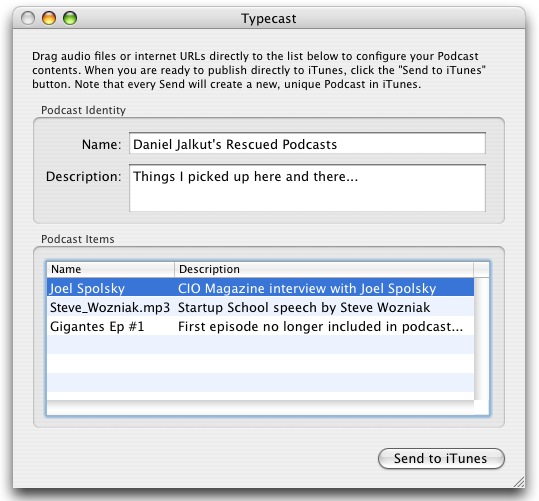
Typecast lets you copy regular audio files from your Mac or the internet into the iTunes Podcast playlist.
Using a simple drag-and-drop interface, you specify the source tracks (episodes), and give your "pseudo-podcast" a name and description. When you click "Send to iTunes," your customized Podcast shows up instantaneously.
If you've ever wished you could get iTunes to treat a normal mp3 file just like all the other Podcasts in your subscription list, Typecast might be just what you're looking for.
Note: Because iTunes may not be configured to download every item from your Podcast immediately, you may need to manually "Get" any items that it doesn't automatically download for you. When Typecast stops running, it's impossible for iTunes to "download" the specified items.